
Scoreboards is a Discord leaderboard bot that lets you create and manage competitive rankings directly in your server. Whether you're tracking cumulative points, personal bests, speedrun times, ELO ratings, or community-voted image contests — Scoreboards handles it all with a clean interface and a public web view your members can share.
Configure Your Discord Leaderboard
Setting up a Discord leaderboard takes seconds. Use the /create command to pick a scoreboard type, name it, and configure display options like sort order, visible ranks, tier roles, and whether submissions need approval. Everything is controlled from a single settings panel.
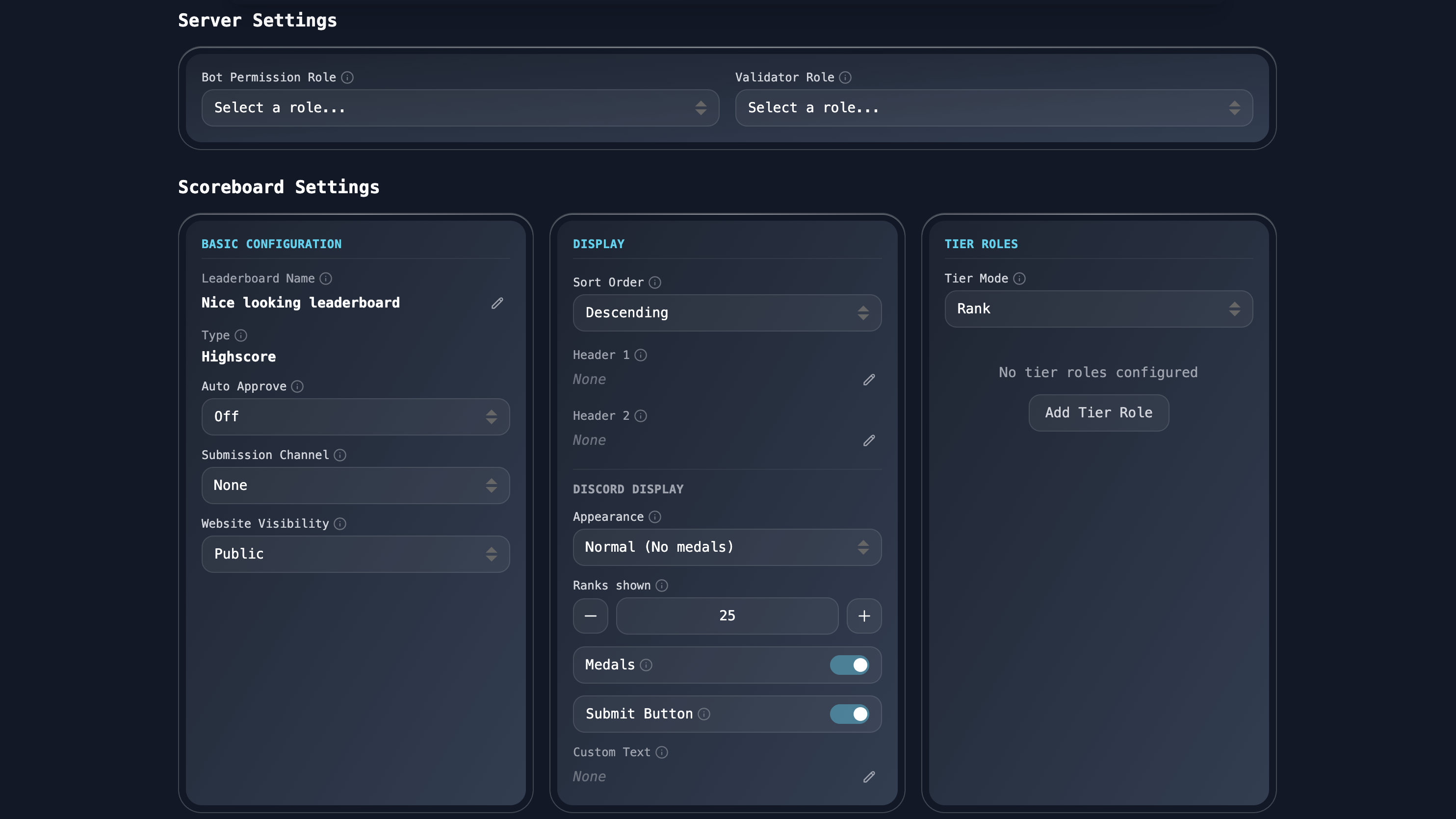
Each Discord leaderboard can be fine-tuned independently. Set a submission channel for moderated input, toggle medals for the top three, or assign tier roles that are automatically granted when players hit certain ranks.
Live Player Rankings
Once scores start coming in, the Discord leaderboard updates in real-time. The board shows each player's rank, rank movement over the last 30 days, total submissions, last submission date, and current score. Members can search for specific players and see exactly where they stand.
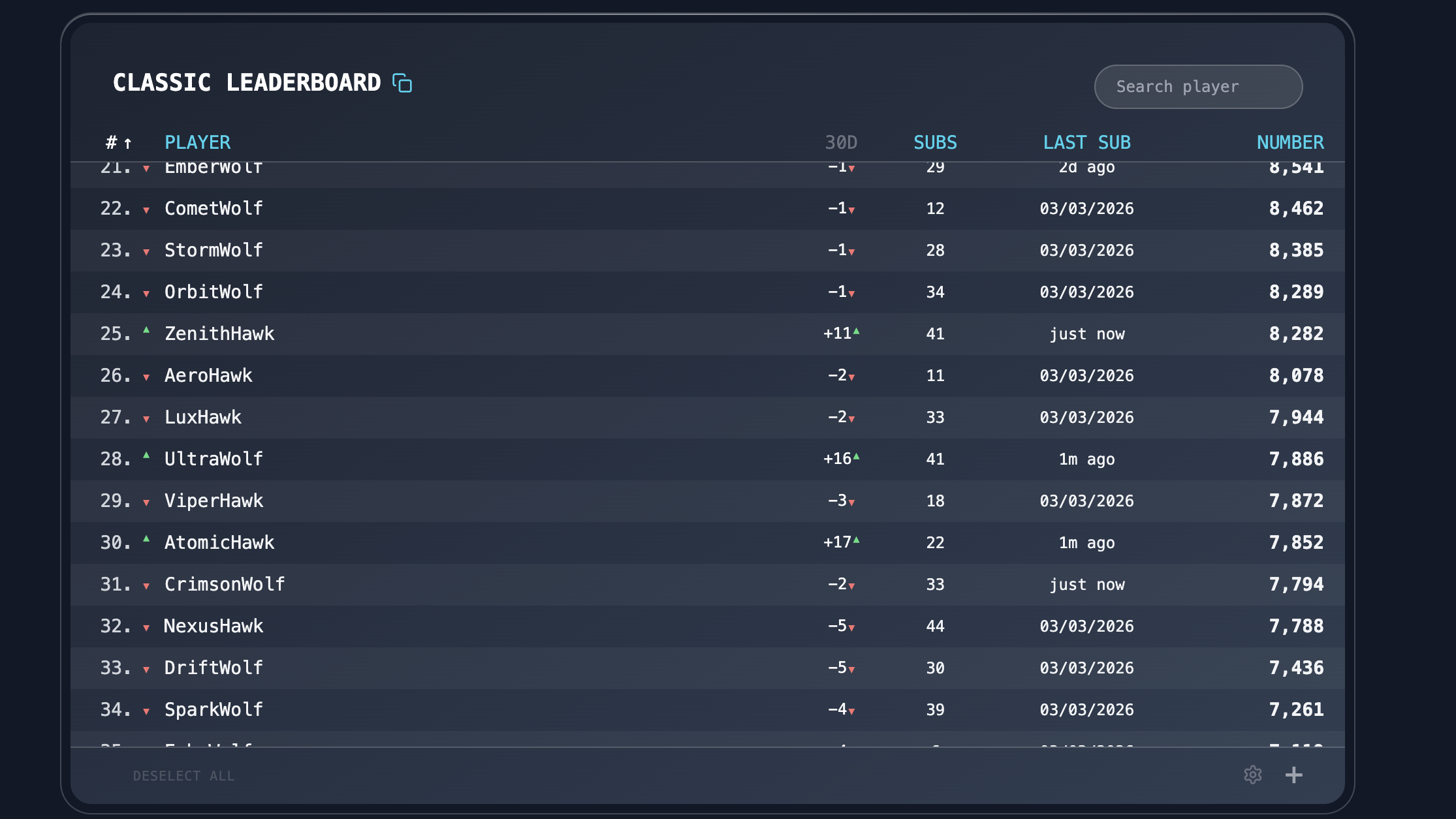
The leaderboard is available both as a Discord embed and as a public web page. Share the link anywhere — members don't need to be in Discord to check the standings.
Player Insights and Stats
Click on any player to see their full profile. The Discord leaderboard tracks rank history over time with a visual chart, performance insights like average submission value and activity streaks, and a complete log of recent submissions.
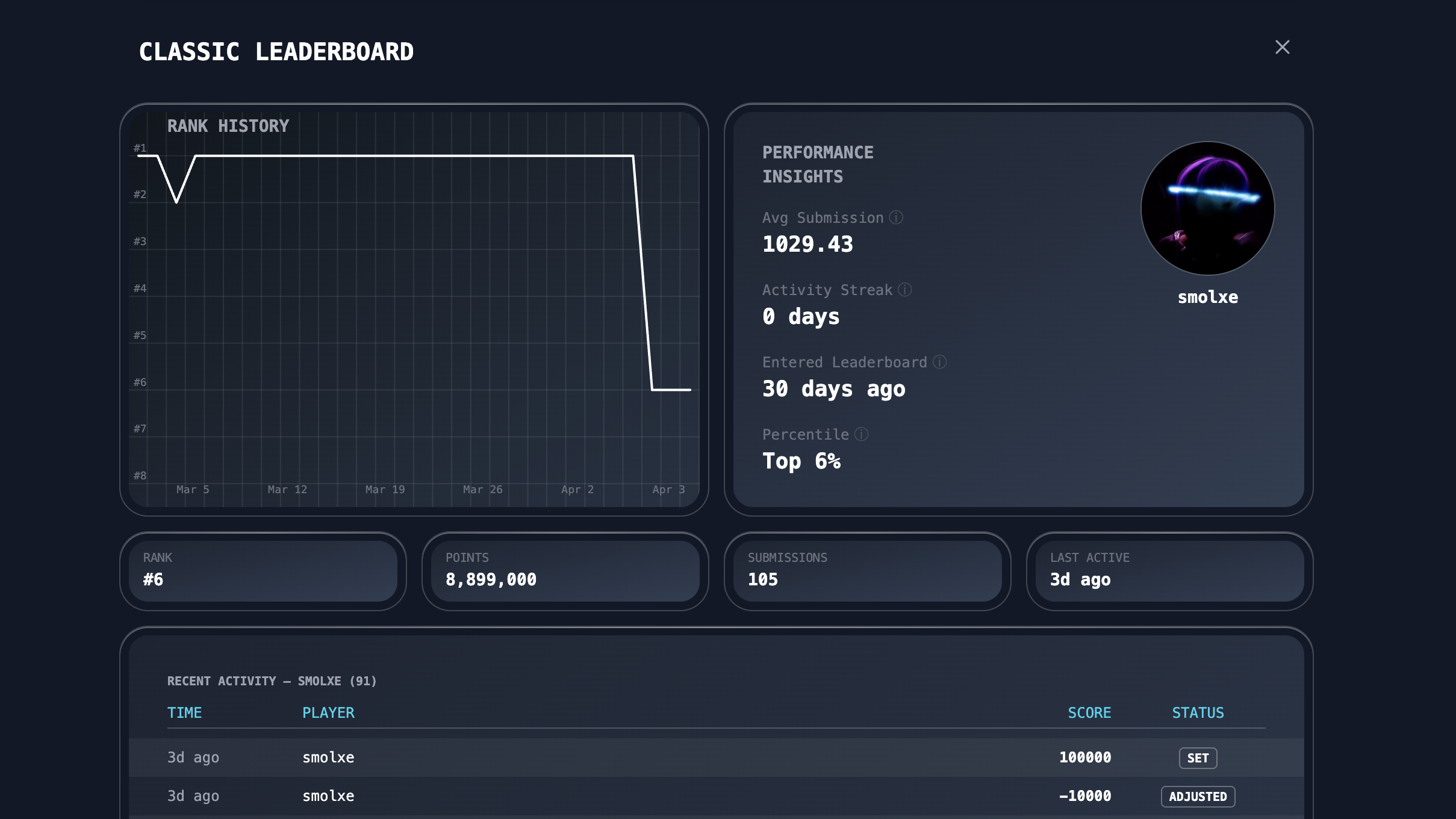
Player profiles include percentile ranking, time since they entered the leaderboard, and a breakdown of every score submission with timestamps and status. This gives your community full transparency into how rankings are calculated.
Get Started
Ready to add a Discord leaderboard to your server? Invite Scoreboards and use /create to set up your first board. Check out our guides for each leaderboard type:
- Classic — Cumulative point tracking
- High Score — Personal best records
- Fastest Times — Speedrun and time-based competitions
- ELO — Skill-based 1v1 rankings
- Image Rating — Community-voted creative contests